
Download Icon Scanner – icon scanner, hidden icons, extract icons, icon extractor, file scanning, icon library, cursor extraction, system scanning, icon management, personal icon collection
Overview
Icon Scanner is a utility tool designed to help users locate and extract hidden icons stored within files, folders, and drives on their Windows systems. The application enables users to uncover icons embedded in various file formats such as ICO, CUR, EXE, and DLL, which are often overlooked during routine file browsing. By scanning the system comprehensively, Icon Scanner simplifies the process of accessing these digital assets, reducing the need to search for icons online. This functionality is particularly beneficial for designers, developers, and advanced users who require access to custom or legacy icons for projects, presentations, or desktop personalization.
The tool serves as a practical solution for managing a personal icon collection, promoting reuse of existing assets rather than relying on external sources. It supports both icon and cursor extraction, offering a dual-purpose utility that enhances visual customization. While the developer, Jason A. Bilbrey, is credited with creating the tool, no additional background information about the developer’s company or prior work was provided. The application has been available since January 30, 2008, indicating a long-standing presence in the utility software niche.
Real-world use cases include organizing icon libraries for design workflows, recovering lost icons from old applications, or customizing cursor sets. In the broader software ecosystem, Icon Scanner fills a specialized but valuable role, catering to users who value control over their digital assets and prefer efficient, localized solutions over cloud-based or third-party tools.
Key Features & Functionality
- Comprehensive System Scanning: Icon Scanner performs deep scans across files, folders, and drives to detect icons embedded in various formats. This includes common types like ICO and CUR, as well as executable and dynamic link library files. The scanning process is automated, requiring minimal user input, and ensures that no hidden icon is missed.
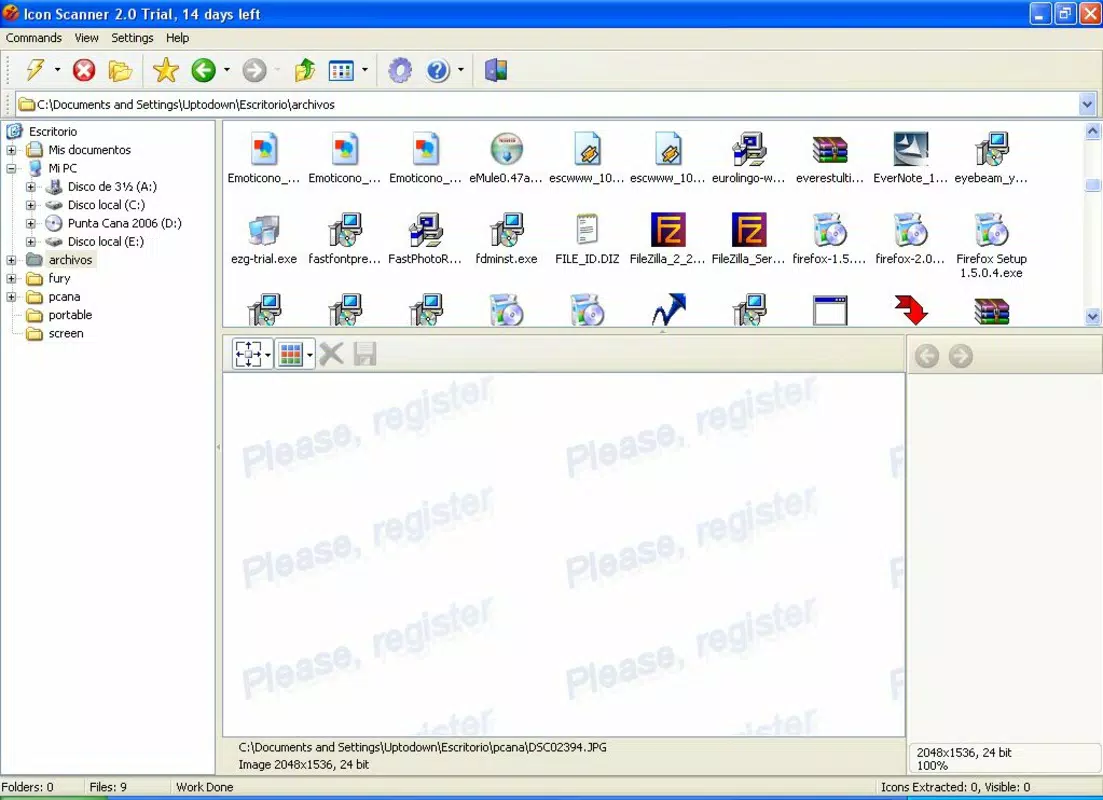
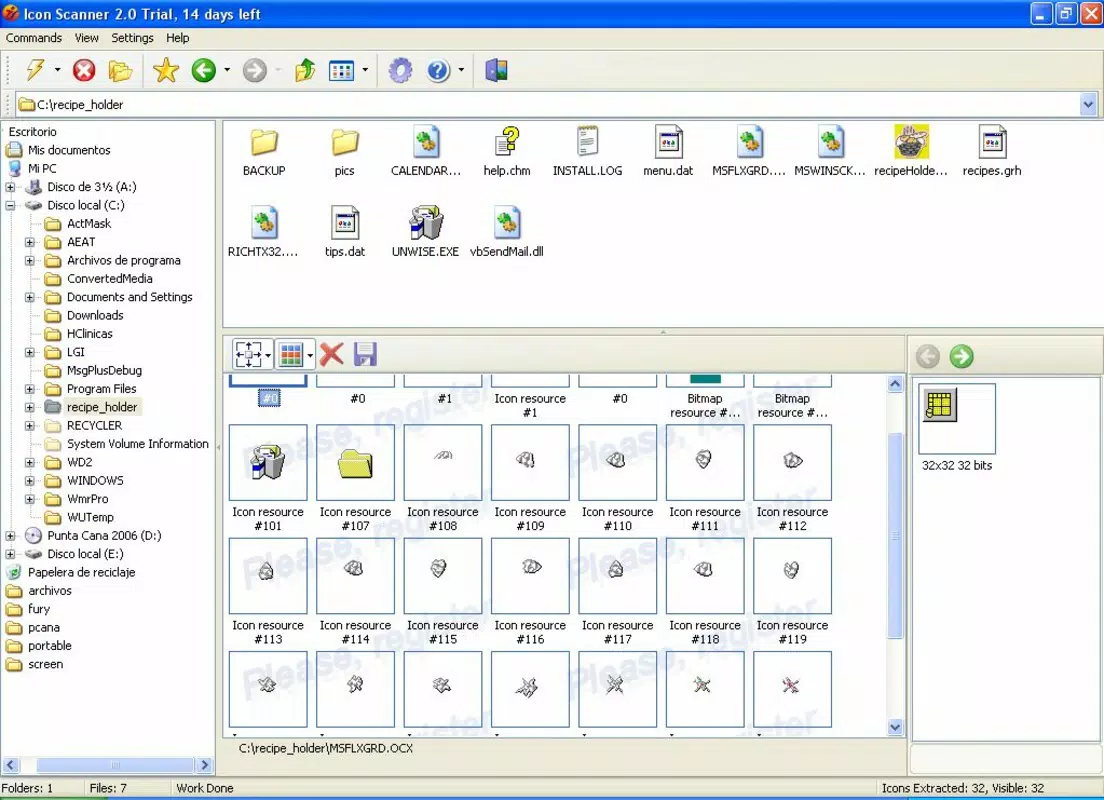
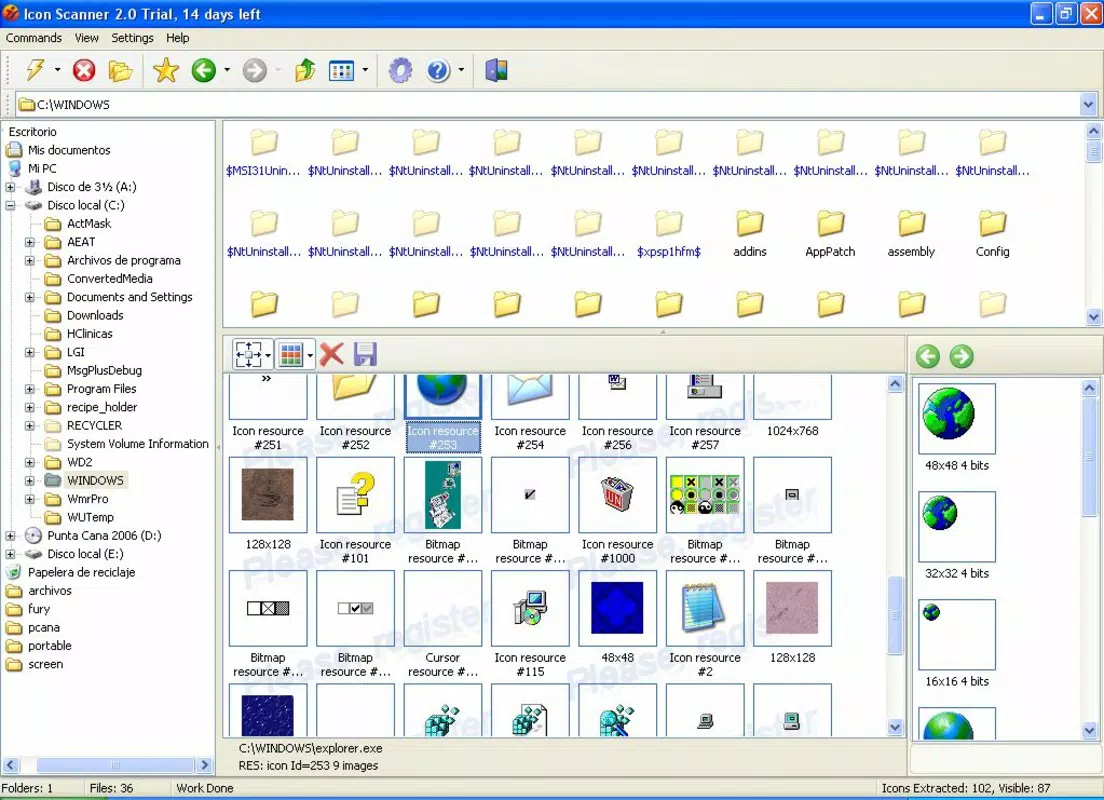
- Thumbnail-Based Preview Interface: Extracted icons are displayed as resizable thumbnails, allowing users to visually browse their collection. This layout enhances usability by enabling quick identification and selection of desired icons without opening individual files.
- Export and Save Options: Users can save selected icons in multiple formats, including standard image files or native icon formats. This feature supports customization workflows, allowing users to integrate icons into projects, websites, or desktop themes seamlessly.
- Cursor File Extraction: Beyond icons, the tool can locate and extract CUR files, which are used for custom cursors. This functionality is ideal for users who want to personalize their desktop experience with unique cursor designs.
- Personal Icon Library Management: By centralizing icons from diverse sources, Icon Scanner helps users build and maintain a personalized library. This reduces dependency on external websites and promotes the reuse of digital assets already present on the system.
For example, a graphic designer might use Icon Scanner to recover icons from an old software package to use in a retro-themed project. A system administrator could scan legacy applications to extract branding icons for documentation. These real-world applications highlight the tool’s practicality and long-term value.
Interface, UX & Performance
Icon Scanner features a straightforward interface centered around a thumbnail grid that displays all found icons. The layout is clean and functional, with minimal distractions, allowing users to focus on the content. Navigation is intuitive, relying on standard Windows interaction patterns such as clicking and dragging to select icons. The window is resizable, enabling users to adjust the view based on screen size and preference.
Although the developer did not list formal performance metrics, the application’s file size of 2.7 MB suggests a lightweight design. It is likely optimized for efficient operation on a range of Windows systems, including older hardware. The tool does not appear to consume significant system resources during scanning, which is essential for maintaining system responsiveness during extended use.
Responsiveness is maintained through immediate feedback during scanning, with progress indicators that keep users informed. Stability appears reliable, given the tool’s long availability since 2008. However, no specific information was provided regarding crash reports, update frequency, or compatibility with newer Windows versions. Users should exercise caution when installing on modern systems, especially if the tool has not been updated recently.
Platform Compatibility & Technical Requirements
Icon Scanner is designed for the Windows operating system. The current version is 2.0, and the application has a file size of 2.7 MB. The developer did not specify minimum OS requirements, nor did they list compatibility with specific Windows versions such as Windows 10, 11, or earlier releases.
Given the release date of January 30, 2008, it is possible that the tool was originally developed for older Windows platforms. While it may still function on modern systems through compatibility modes, this is not guaranteed. Users are advised to test the application in a safe environment before relying on it for critical tasks.
No information was provided regarding installation requirements, such as administrative privileges, .NET Framework dependencies, or antivirus compatibility. The absence of such details limits the ability to assess full system readiness. The developer did not disclose whether the tool is available as a portable version or requires installation.
Pros and Cons
Pros
- Efficiently uncovers hidden icons across multiple file types
- Supports both icon and cursor extraction
- Lightweight file size (2.7 MB) with minimal system impact
- Intuitive thumbnail interface for easy browsing
- Enables users to build and manage a personal icon library
Cons
- Developer did not provide compatibility details for modern Windows versions
- No information on update frequency or long-term support
- Price of $24.95 may be considered high for a tool with limited feature updates
- Interface lacks advanced filtering or search functionality
- No portable version or cloud integration options were mentioned
FAQ
Is Icon Scanner safe to download and install?
Yes, the application is available from a trusted developer and has been in use since 2008. However, users should ensure they download from official sources and scan the file with antivirus software before installation.
Can I use Icon Scanner on Windows 10 or Windows 11?
While the tool was released in 2008, it may still run on newer Windows versions via compatibility mode. However, the developer did not confirm official support for Windows 10 or 11.
Does Icon Scanner require an internet connection?
No, the application operates offline. All scanning and extraction processes occur locally on the user’s system.
Is there a free version or trial available?
There is no information provided about a free version or trial. The app is listed at a one-time purchase price of $24.95.
How often is Icon Scanner updated?
The developer did not disclose the update frequency. The last known release was in 2008, which may indicate limited or no active development.
Final Thoughts
Icon Scanner remains a niche yet powerful tool for users seeking to reclaim and organize hidden icons and cursors on their Windows systems. Its ability to scan a wide range of file types and present results through an accessible thumbnail interface makes it a valuable asset for designers, developers, and tech-savvy users. While its age and lack of modern updates are notable limitations, the tool’s core functionality remains relevant for those who prioritize local asset management.
For individuals who value personalization, efficiency, and control over their digital resources, Icon Scanner offers a practical solution to a rarely addressed problem. It reduces reliance on external sources and empowers users to leverage the icons already present on their devices.
Download Icon Scanner now


